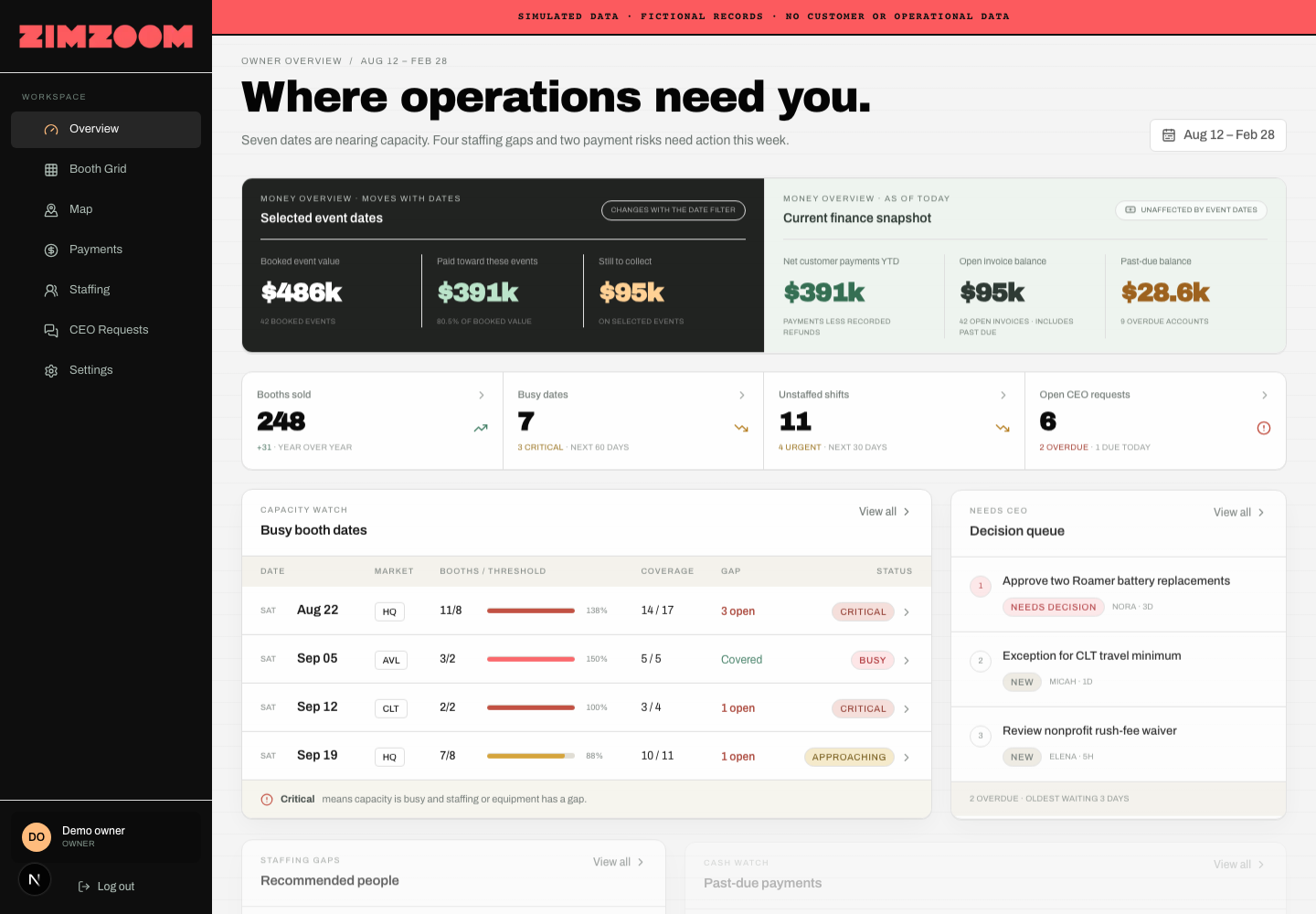
From scattered data to one command center
Privacy note: Every command-center screenshot in this case study was captured from a credential-free demo build using fictional fixtures. No Zim Zoom customer, staff, payment, event, or operational record is shown.
Zim Zoom Photo Booth had the information needed to run the business. The problem was that it lived in too many places.
Customer records, events, orders, and payments lived in VSCO. Business metrics were maintained in Coda, now Superhuman Docs. Questions and approval requests arrived through Slack. Staffing, booth capacity, and daily operational decisions still required someone—usually the owner—to connect the dots manually.
The business did not need another place to store information. It needed one place to understand it.
I designed and built a secure operations command center that brings those disconnected workflows into one owner-focused dashboard. In a matter of days, Zim Zoom went from hunting through documents, tables, messages, and source systems to having one place to monitor capacity, staffing, revenue, collections, decisions, and integration health.
Before, the owner had to search for problems. Now, the command center brings the right problems to the owner.
The challenge
Each existing platform worked for its original purpose. The friction came from using all of them together.
- VSCO held customers, jobs, orders, event details, balances, and payments.
- Superhuman Docs/Coda held manually maintained metrics and historical reporting.
- Slack held staffing conversations, approval requests, client questions, and decisions.
- Booth capacity and busy-date calculations required manual interpretation.
- Staffing depended on availability, qualifications, workload, travel, and institutional knowledge.
- Past-due balances had to be found and prioritized manually.
- Integration failures and unmapped data could quietly make reports incomplete.
There was no reliable, at-a-glance answer to the question that mattered most: What needs my attention today?
The owner had become the integration layer.
The solution
I built the command center around the way the owner actually runs the business. Its main overview answers six questions immediately:
- How much revenue is booked and collected?
- Which dates are nearing or exceeding booth capacity?
- Which upcoming shifts are still unstaffed?
- Which customers have past-due balances?
- Which decisions are waiting on the owner?
- Are the connected systems healthy and current?
The dashboard does not force the business to abandon the platforms that already work. VSCO, Superhuman Docs, and Slack continue doing what they do well. The command center sits above them as the operational system of action—the place where information becomes priorities and priorities become decisions.
What changed
One view of the business
The owner can see booked and collected revenue, booth demand, staffing gaps, overdue payments, pending decisions, and integration health from one screen.
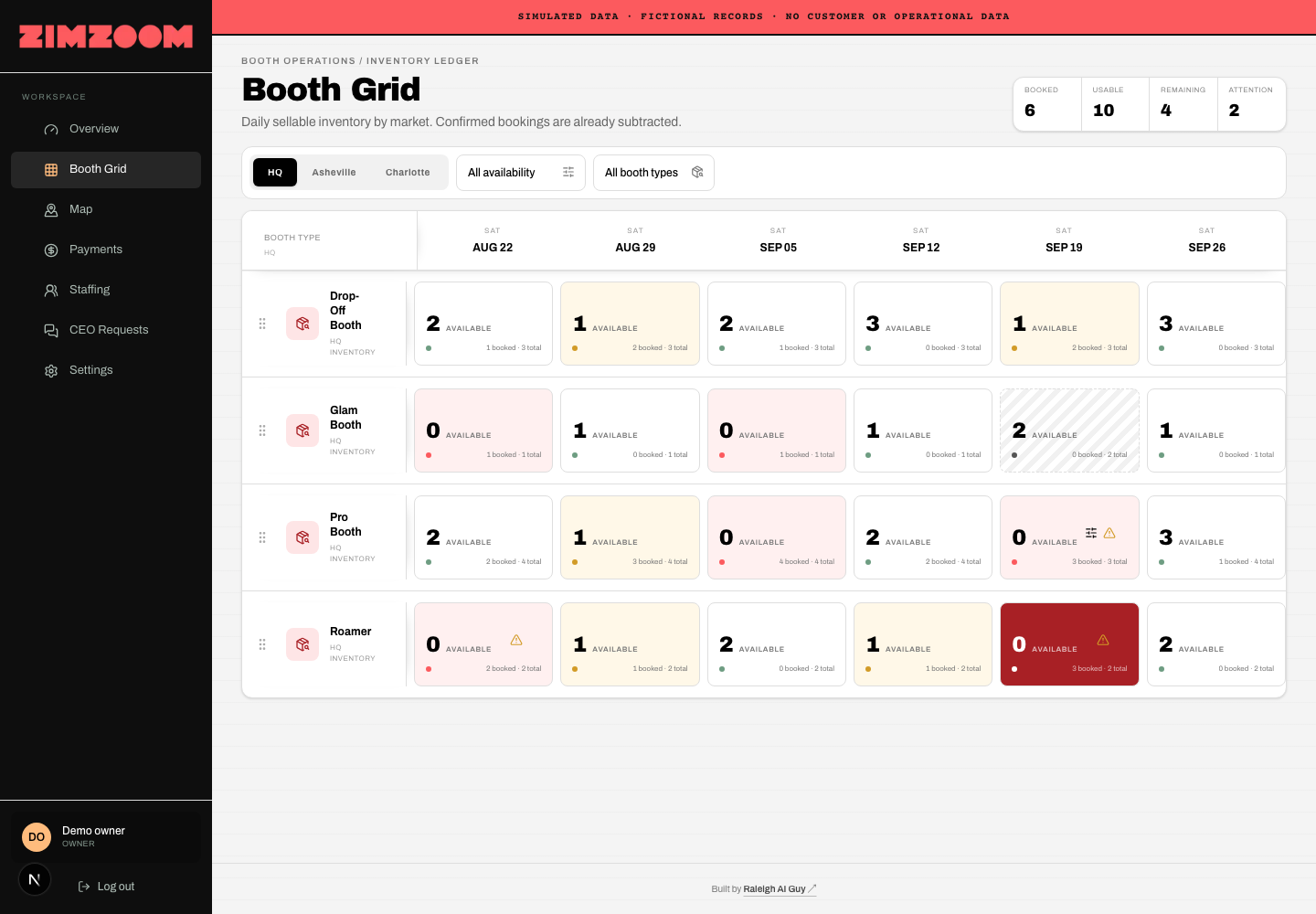
Busy dates surface earlier
The Booth Grid evaluates market capacity, booth types, booths sold, staffing coverage, equipment conflicts, unmapped products, and manual overrides. Dates are flagged as approaching capacity, busy, or critical before they become emergencies.
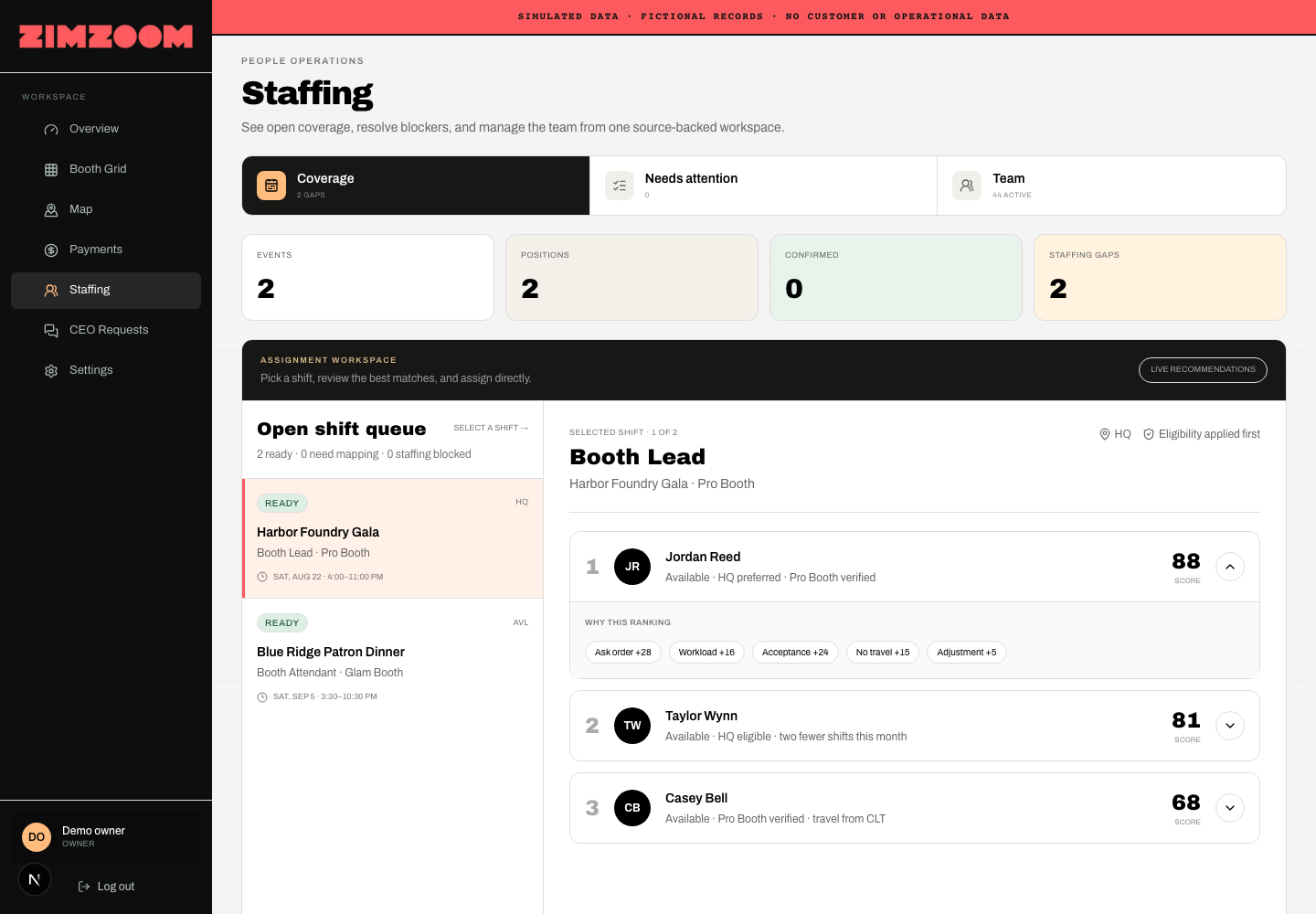
Staffing is consistent and explainable
The staffing workspace considers availability, qualifications, preferred markets, travel, workload, acceptance history, and ask order. It explains why each candidate is recommended while keeping final approval with the manager.
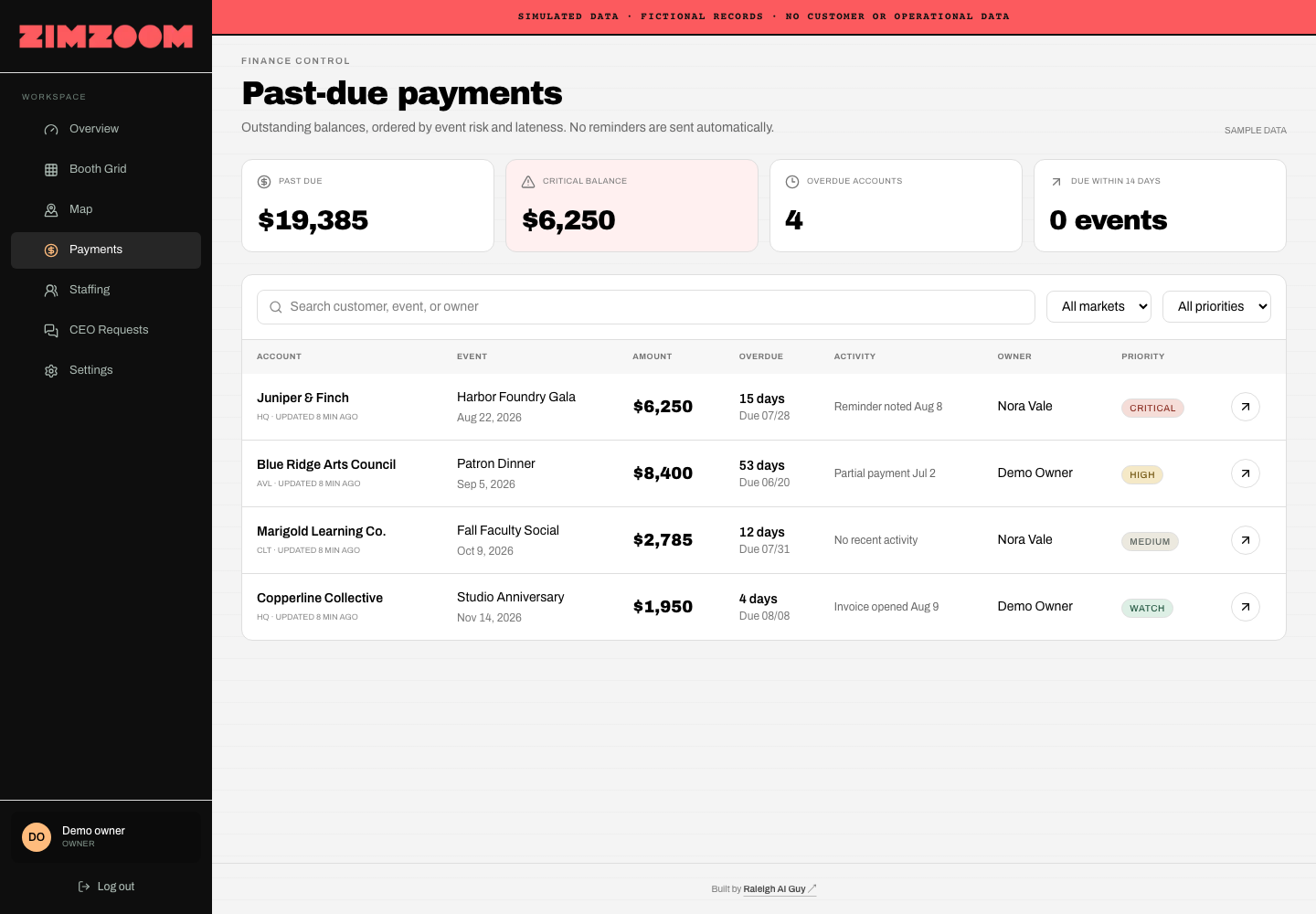
Payment risk is prioritized
The finance view separates routine balances from urgent collection risks using the amount outstanding, days overdue, event proximity, recent activity, previous reminders, and responsible owner.
Slack decisions become an accountable queue
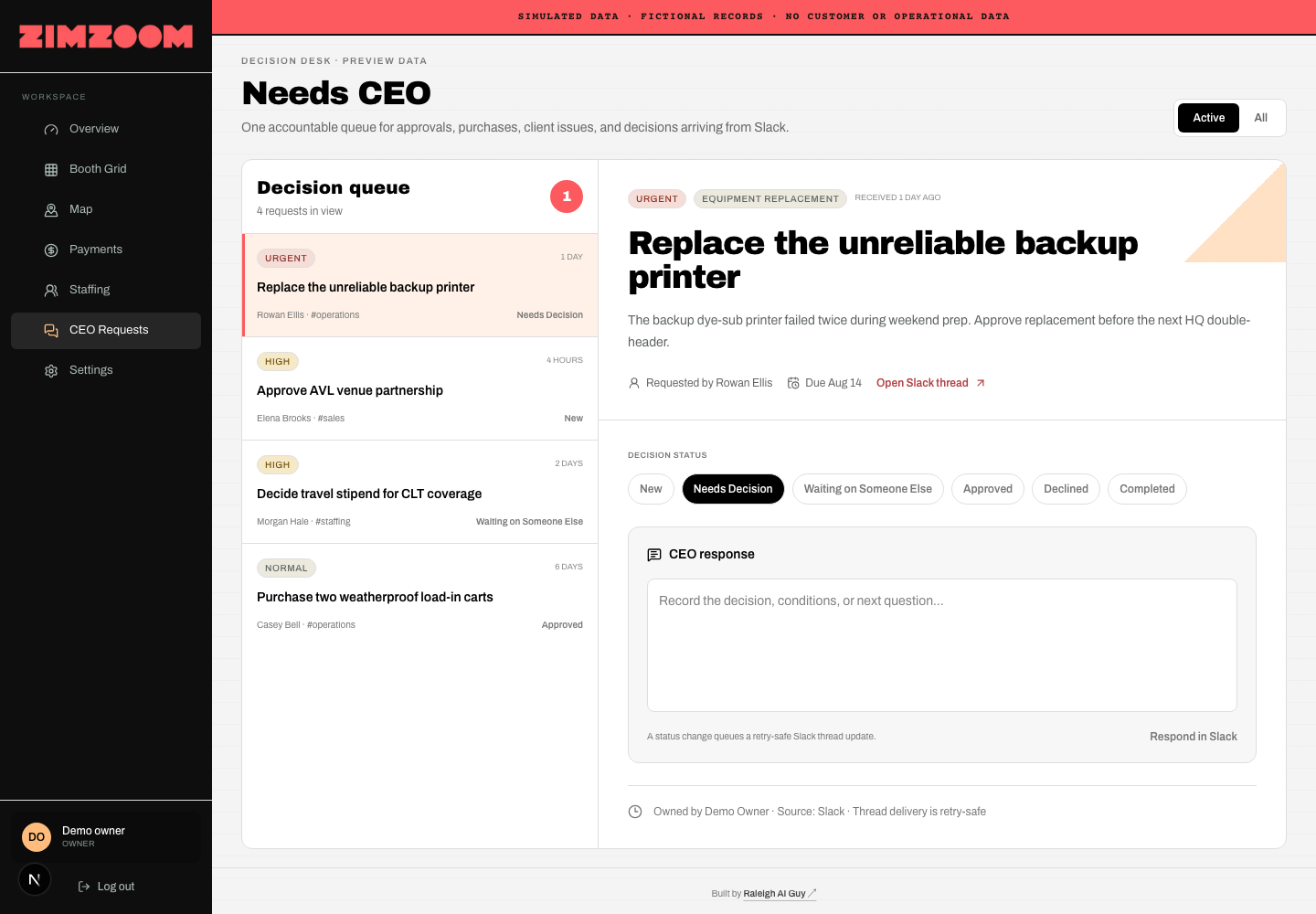
The “Needs CEO” workflow captures urgency, category, requester, due date, owner response, resolution, and a link to the original Slack conversation. The owner no longer has to remember which threads still need an answer.
Slack became an operating interface
I built a custom Slack integration so the team can get useful answers without opening another dashboard or copying sensitive records into chat. Purpose-built slash commands now turn live operational data into concise, permission-aware responses:
/todayand/this-weeksummarize booked events, booth requirements, staffing coverage, and gaps./lateprioritizes past-due payments and links authorized users back to verified source records./needs-ceoturns a Slack request into a tracked decision record with a direct link to the request page./zoomgptgives the team one discoverable directory of every available command.
The integration verifies every Slack request, acknowledges commands immediately, and delivers longer results asynchronously using compact Block Kit sections. Responses are private to the person who requested them, and dashboard permissions determine which financial or staffing details they can see.
This case study shows the workflow and architecture—not the underlying records. No customer names, event details, staff assignments, balances, Slack messages, access tokens, or production screenshots are published.
Business metrics retain their context
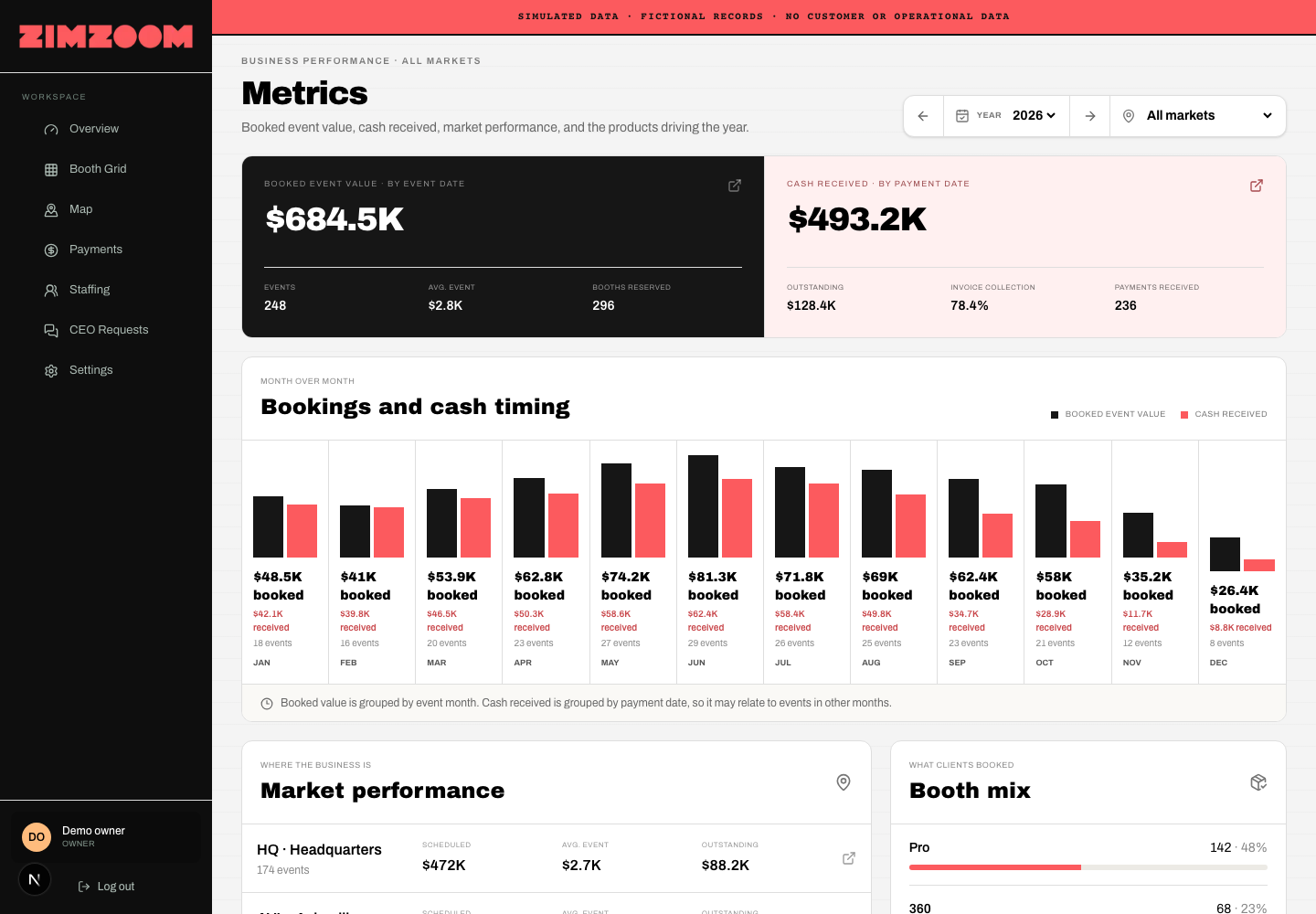
Current bookings, historical pace, prior-year results, targets, and forecasts remain visibly distinct. Every value keeps its source, so incomplete data is not presented as final.
Data problems become visible
The integrations area shows connection health, the last successful synchronization, recent import runs, records processed, failures, and unmapped records. The owner can distinguish “nothing happened” from “the system failed to capture it.”
Every event has one operational record
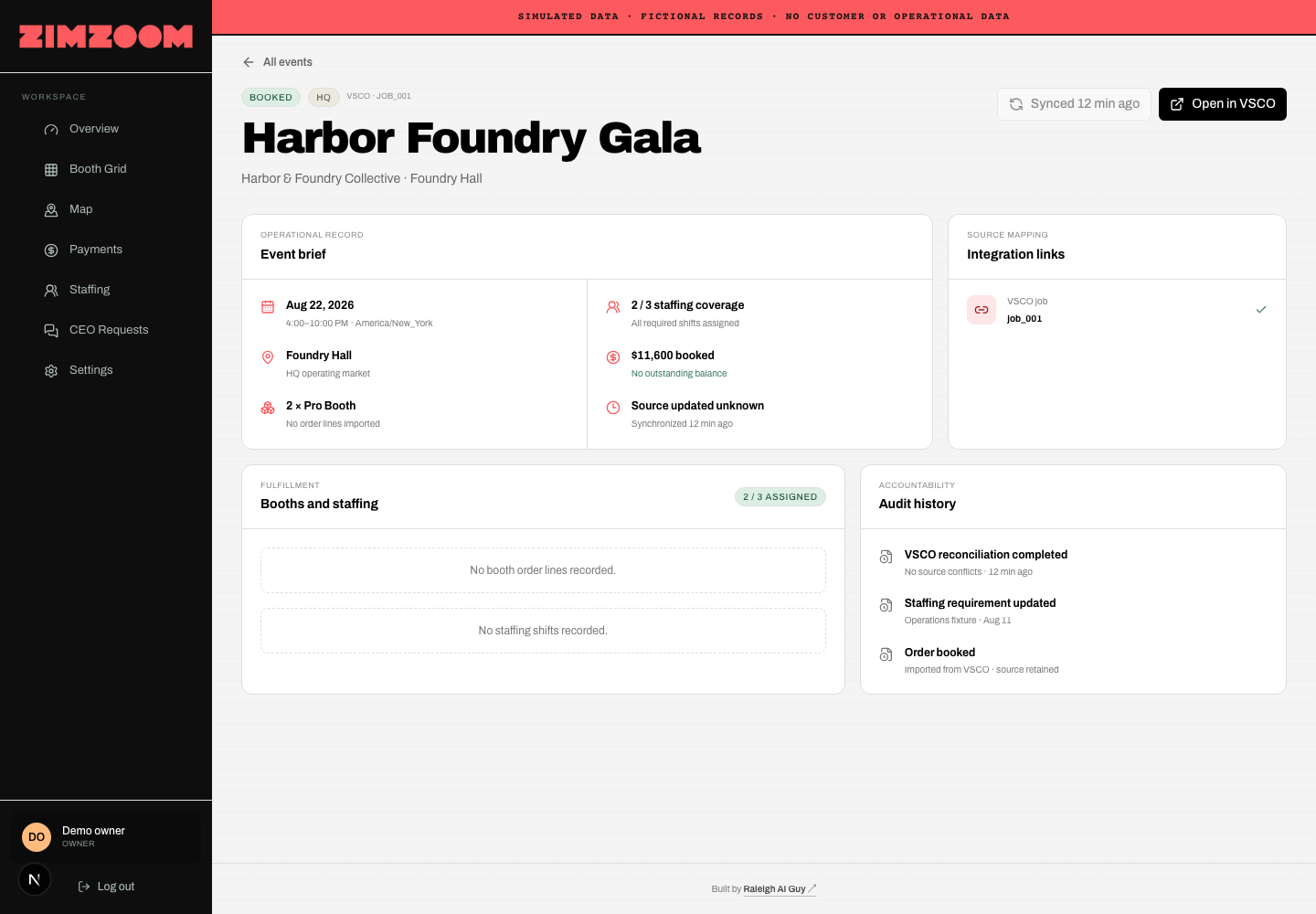
Each event connects customer and venue details, date and market, booth requirements, staffing, revenue, outstanding balances, source records, synchronization status, and audit history.
Built in days, not months
This project began with the owner’s real operational concerns—not a generic dashboard template.
I translated those concerns into an operating model, designed the workflows, connected the existing systems, built the interface, added role-based security, and created automated tests for the core business rules.
The resulting application includes:
- A responsive owner dashboard
- Live Supabase data
- VSCO synchronization
- Superhuman Docs/Coda metric imports
- Custom Slack commands, decision intake, and permission-aware Block Kit responses
- Booth-capacity logic
- Explainable staffing recommendations
- Payment prioritization
- Role-based access and audit history
- Error and mapping visibility
- Automated database, application, and browser tests
Projected time savings
Before the command center, the owner and team repeatedly gathered and reconciled information across VSCO, Superhuman Docs, Slack, and internal operational knowledge.
The initial model estimates that the dashboard can reduce:
- 2–4 hours per week assembling owner reports
- 1–3 hours per week checking event and booth capacity
- 1–3 hours per week coordinating staffing
- 1–2 hours per week reviewing overdue accounts
- 1–2 hours per week finding and following up on approvals
- 1–2 hours per week diagnosing missing or outdated data
That represents approximately 7–16 hours per week, or 350–800 hours per year. Even at the lower end, that is more than eight full workweeks returned to the business annually.
These are modeled estimates. They will be replaced with measured before-and-after results after the command center has been used in production long enough to establish a reliable baseline.
Projected financial impact
Valuing owner and management time at $75–$150 per hour puts the recovered time at approximately:
- Conservative: 350 hours × $75 = $26,250 per year
- Expected: 500 hours × $100 = $50,000 per year
- Upper range: 800 hours × $150 = $120,000 per year
The responsible public estimate is $25,000–$120,000 in annual productivity value.
That does not include the potential value of collecting overdue balances sooner, avoiding overbooked capacity, catching understaffed events earlier, reducing delayed decisions, preventing reporting errors, or giving the owner more time for sales and growth.
The outcome
The Zim Zoom Command Center turns scattered data and manual workflows into one clear operating picture. The owner can see where the business is healthy, where it is at risk, and where a decision is needed—without spending the first part of every day gathering the evidence.
The transformation is simple: Zim Zoom moved from operational guesswork to one command center that shows what needs attention now.
My role
Operational discovery, product strategy, workflow design, data modeling, UX and interface design, integration architecture, application development, role-based security, and automated testing.